Agents and tools
Agent autonomy and stopping
Autonomy is a dial. Pick a level, cap the loop, verify writes with external signals and put a human on irreversible actions.
Autonomy is a dial, not a boolean. Moving up a level without evals and budgets is how demos become incidents. Moving down a level when metrics are flat is mature engineering.
Concept
Before you start: an agent chooses tools until a goal is met or a budget runs out. Human-in-the-loop means a person must approve, edit or take over before the system proceeds.
Levels
| Level | Behavior | Example |
|---|---|---|
| 0 | Single model call | Classify intent |
| 1 | Fixed workflow | Extract → validate → draft |
| 2 | Tool loop, read-only | Research with search |
| 3 | Tool loop, gated writes | File a ticket after approval |
| 4 | Long-running durable agent | Overnight coding with sandboxes |
Recover, then escalate
Agents that cannot recover are demos.
- Structured tool errors the model can act on. See tool use.
- Verification after risky actions: re-read the file, re-query the order, run the test suite.
- Self-correction with new information: "The tests failed; fix the code" plus the failure log. Not "try again" with no new signal.
- Escalation: after N failed recoveries, hand off to a human with a summary of attempts.
Do not let the agent "verify" by asking itself if it did a good job. Prefer code assertions, schemas, tests and retrieval.
Human checkpoints that show up in real products: approve the plan before tools run; approve each destructive tool call; approve the final outbound message; take over on low confidence or a policy flag. Show the proposed action, the rationale and a diff or preview. Blanket "Allow all" defeats the control. Timeouts should fail safe (no action), not fail open.
Failure modes
| Failure | What you see | Mitigation |
|---|---|---|
| Loops | Same tool and args repeated | Fingerprint calls; break after 2 to 3 duplicates |
| Goal drift | Busy work unrelated to the ask | Restate the goal each turn; todo list; max steps |
| Tool misuse | Wrong tool or invented args | Better schemas; evals; fewer tools |
| Cost blowups | Token spikes, huge retrieval dumps | Budgets; truncate results; cheaper model for routine steps |
| Silent lies | Confident answer without tools | Force tools for factual domains; cite observations |
| Context bloat | Quality drops as the transcript grows | Compact; summarize; reset from a state store |
Observe every step: prompt version, tool calls, latencies, token counts, stop reason. You cannot debug an agent from the final paragraph alone. LLMOps patterns apply directly.
A research agent in the source averaged 12 tool calls and $0.40 per query. A loop detector plus a 6-step cap cut that to $0.11.
Common mistakes
- Level 4 autonomy on "Where is my order?" High volume, known path, write tools. Use a workflow.
- Verification with no external signal. The model will grade itself generously.
- Fail-open timeouts that send the email when the approver is offline.
Check yourself
- A refund tool can fire without a click. Which level is too high? Level 3 or 4 writes without a gate. Refunds need approval.
- The agent says it ran the tests and they passed. What do you trust? The test runner's output in the observation, not the claim in the thought.
Key takeaways
- Pick an autonomy level on purpose. Default down when metrics are flat.
- Recover with structured errors and external verification. Escalate after repeated failure.
- Cap loops. Detect identical tool calls. Restate the goal.
- Human checkpoints and trajectory logs are architecture, not polish.
Further learning
Agents (Chip Huyen)Intelligent agents are considered by many to be the ultimate goal of AI. The classic book by Stuart Russell and Peter Norvig, Artificial Intelligence: A Modern Approach (Prentice Hall, 1995), defines the field of AI r…Chip Huyen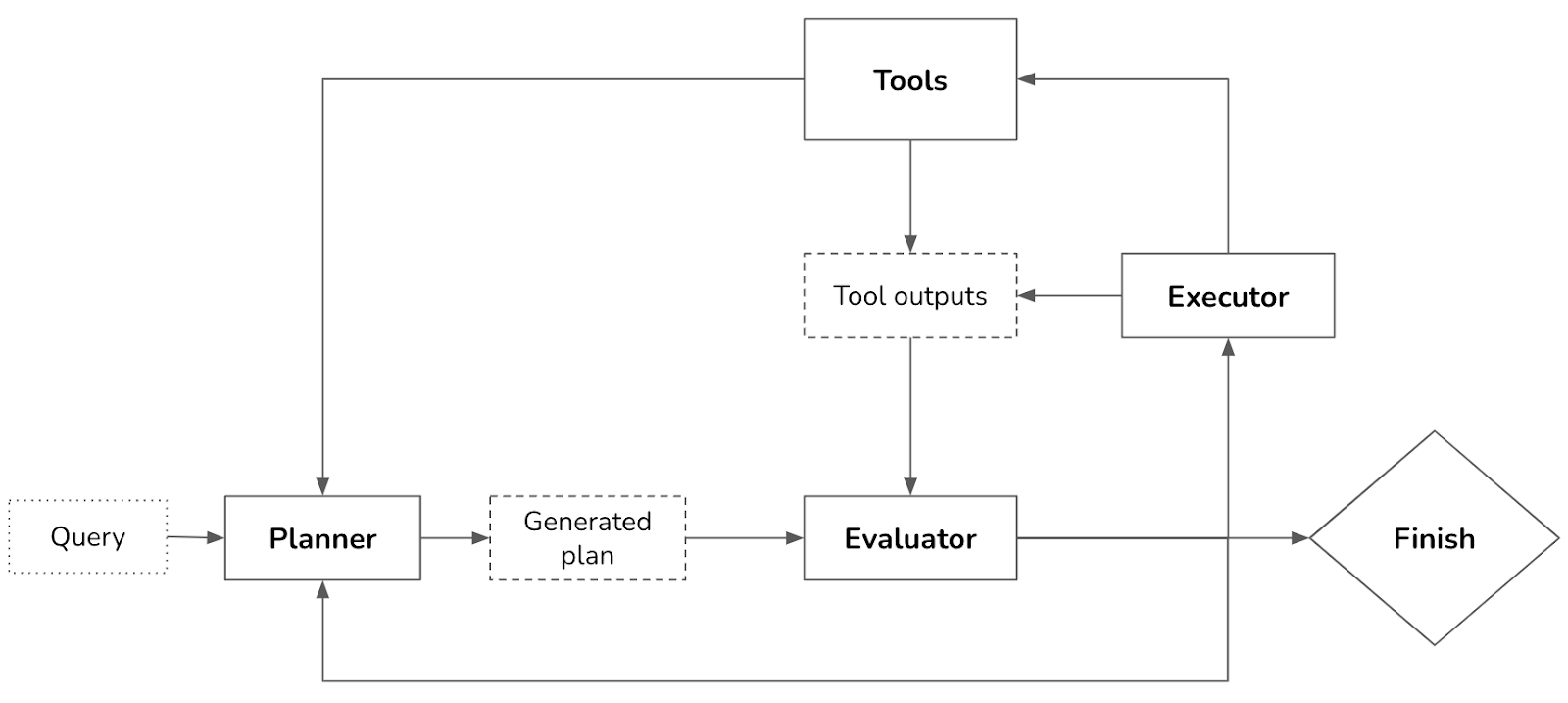
Barry Zhang (Anthropic) on when agents are worth the cost:
The runtime that makes long runs survivable is agent infrastructure.
Related
Agents and agent architectures
Workflows vs agents, the core patterns, ReAct loops, planning and knowing when to stop.
The ReAct loop
Reason, act, observe, repeat, with hard stop conditions so the loop cannot run forever.
Designing AI product experiences
Interaction design for probabilistic systems: trust, control, failure states and human-in-the-loop.