GPU fundamentals
CUDA graphs
Record a fixed sequence of GPU launches once and replay it every token, so the CPU is no longer the metronome for decode.
Even after fusion, a decode step can still be a list of launches the CPU must submit every token. A CUDA graph records that sequence once and replays it with far less launch overhead.
Concept
A CUDA graph is a captured DAG of GPU work: kernel launches and some memory ops. Replay submits the whole DAG as one unit. Think of it as filming the decode step and hitting play.
The big idea
A theatre that blocks the play once, then runs the same blocking every night, is a CUDA graph. A theatre that re-blocks from the script before every line is eager mode.
The picture breaks when the script changes. Dynamic control flow, fresh allocations, and wild batch sizes are hostile to a recorded topology. Engines respond by padding and bucketing.
Walking through it
This toy shows the idea. It is not the CUDA API.
class ToyGraph:
    def __init__(self):
        self.ops = []

    def record(self, fn):
        self.ops.append(fn)

    def replay(self, x):
        for fn in self.ops:
            x = fn(x)
        return x

g = ToyGraph()
g.record(lambda x: [v * 2 for v in x])
g.record(lambda x: [v + 1 for v in x])
print(g.replay([1, 2, 3]))
Output:
[3, 5, 7]Constraints on the real thing:
- The recorded topology is largely fixed.
- Tensor addresses are baked in. Variable batch sizes need padding or bucketed graphs (capture for batch 1, 2, 4, 8, …).
- CPU work between GPU ops can still stall replay if you synchronize.
If graph replay cuts launch overhead from about 1 ms/token to about 50 µs/token on a small model, you just unlocked TPOT headroom that a faster GPU would not have fixed as cleanly. The old GPU was waiting on the CPU.
Serving engines invest in graph capture for decode because per-token launches dominate when matmuls are small. Prefill of a huge prompt is a different shape and often stays eager or uses a different graph.
Padding wastes some FLOPs on mask tokens and unlocks stable replay. Fully dynamic eager is easier to bring up and worse at latency. Prefer bucketed graphs once load tests show launch overhead in the profile.
Common mistakes
- Capturing once at batch 1 and serving batch 17. Addresses and occupancy no longer match. Bucket.
- Calling
.item()in the token loop. That syncs the CPU and kills replay. - Expecting graphs to fix an OOM or a communication-bound TP setup. They only cut launch tax.
Check yourself
- Why do engines capture graphs for batch 1, 2, 4, 8 rather than one graph for all traffic? Answer: Addresses and launch shapes are baked in. Buckets keep replay valid without a recapture on every request.
- Graph replay drops overhead from 1 ms to 50 µs per token. What was the limiter? Answer: CPU launch overhead, not FLOPs or HBM.
Key takeaways
- CUDA graphs film a static decode DAG and replay it.
- They slash per-token launch overhead when the step is regular enough to record.
- Pad and bucket shapes so graphs stay valid under real traffic.
- Graphs do not fix memory or communication. They fix the metronome.
Further learning
Getting Started with CUDA Graphs (NVIDIA)The performance of GPU architectures continue to increase with every new generation. Modern GPUs are so fast that, in many cases of interest, the time taken by each GPU operation (e.g.NVIDIA Technical Blog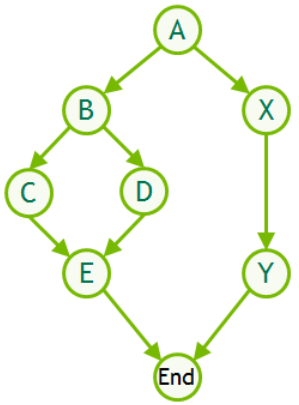
Next, torch.compile is how PyTorch builds fused graphs, often on top of this.
Related
Kernels, fusion and compilation
Kernel fusion, torch.compile, CUDA graphs and the libraries that make models fast.
Launch overhead
Decode runs many short kernels. Python dispatch and kernel launches can cost a millisecond per token before any matmul starts.
torch.compile
PyTorch traces a model into a graph, fuses the glue with Inductor and Triton, and can wrap the result in CUDA graphs. Dynamic shapes are the catch.